Settings
Once Human Aimbot Settings: FOV, Smoothing, and Bone Priority
Oct 18, 2026 · Updated Nov 21, 2026 · 4 min read
How to tune Once Human aimbot settings on PC: FOV, smoothing, bone selection, visibility checks, and distance caps without stuffing a clip with snaps.
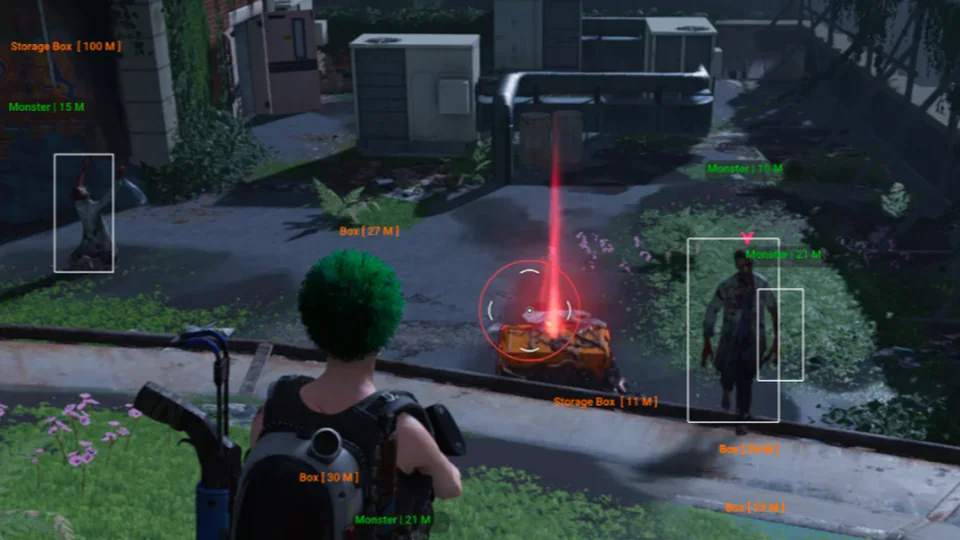
Once Human aimbot settings are where most first-time buyers either look natural or look like a highlight reel. The merchant list is not mysterious: hotkey, FOV, bones, smoothing, prediction, visibility, team filters, and a max distance cap. The work is picking values you can live with for an hour, not chasing a perfect slider.
This guide is for the Complete suite on Windows PC. Confirm every toggle on checkout. We do not invent extra aim modes.
Start with FOV you can see
Enable the FOV circle so you know when assist is even considering a target. A wide circle will pull across half the screen. That feels strong in empty terrain and looks awful in a settlement clip.
Keep the first session modest. If you miss close fights, raise FOV a little. If the reticle jumps to people you were not aiming at, shrink it. Dynamic FOV, when listed, should stay off until the base circle feels stable.
Smoothing before bone tricks
Smoothing is the difference between a pull and a snap. Higher smoothing slows the reticle. Lower smoothing slams it. Start higher than you think you need, then drop it until tracking keeps up with rifles at mid range.
Humanized trajectories, when listed, sit on top of smoothing. They do not replace a bad FOV. If the reticle still slams, smoothness is the first knob, not bone priority.
Bone selection and visibility
Head priority looks cracked on a standing target in the open. It also flicks when someone peeks a window. Chest plus a visibility check is the usual starting pair for rifles.
Team filtering keeps squadmates out of the pull. Max target distance stops long-range snaps across empty map. Leave both on until you understand how the overlay behaves after a patch.
Prediction helps on strafing targets. It is not a substitute for leading shots yourself on long lanes. If prediction feels late or early after an update, drop it and retest.
Hotkey hold versus always-on
Hold-to-aim is easier to explain in a clip and easier to turn off when you are looting. Always-on tracking across open terrain is how people get reported. Use the customizable hotkey, keep a panic key in reach, and save the profile before you change six sliders at once.
Pairing with ESP
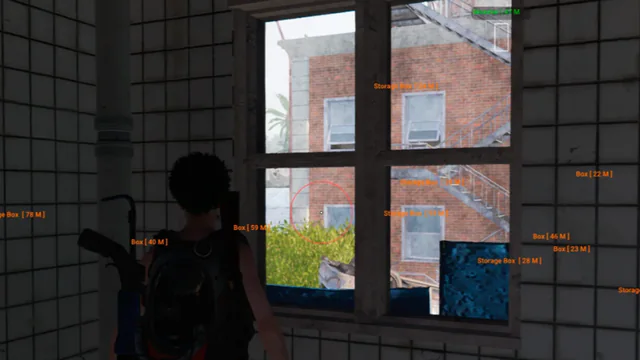
Aimbot does not tell you who is behind a wall. Player ESP and radar do. If you bought Complete, test aimbot in a quiet area with ESP range short, then raise ESP only if the overlay stays readable. See the ESP and radar guide for overlay density.
After a patch
Once Human updates can change how FOV and smoothing feel even when the menu still opens. Check the status banner, download the portal build, and reload a conservative preset instead of yesterday’s maxed sliders. The setup guide covers launch order if the menu bind dies.
Save two configs: a tight PvP preset and a slightly wider open-world preset. Do not share those files in public Discord channels.
Questions about this guide
- What Once Human aimbot setting matters most?
- FOV and smoothing. A modest circle with higher smoothness looks less obvious than a wide FOV with a hard snap.
- Should I use head or chest bone priority?
- Chest plus a visibility check is a safer starting point for rifles. Head with a tiny FOV is for close fights you already control.
- Does aimbot work without ESP?
- Yes. Aimbot is a separate module group. Complete ships both on one key so you can toggle ESP off if you only want tracking.
Keep reading
Buyer's Guide
Best Once Human Hacks in 2026: What to Check Before You Buy
A practical checklist for Once Human Hacks on PC: module lists, live status, loader delivery, and what separates usable aimbot and ESP from empty marketing.
Oct 22, 2026 4 min read
Read buyer guide
Plans
Once Human Hacks Plans: Complete Suite vs Utilities
Compare Once Human cheat software on PC: the Complete suite versus Cloud DMA, HWID Spoofer, and Skin Changer. Confirm modules on checkout.
Oct 14, 2026 4 min read
Read plan comparison Visuals
Once Human ESP and Wallhack: Player, Creature, and Radar Layouts
How Once Human ESP and radar work on PC: player boxes, creature tracking, item ESP, object ESP, and 2D radar range without burying the screen.
Oct 10, 2026 4 min read
Read ESP & radar guide